Zong Monthly Device Packages Latest Wi-Fi & MBB Data Bundles in Pakistan


Subscribe All ZONG Monthly Device Packages in 2026
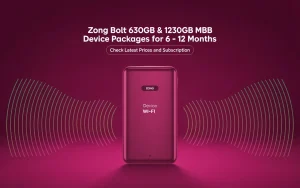
Zong offers a wide range of monthly internet device packages in Pakistan for users of Zong 4G Bolt, Bolt+, Wingle, and MBB devices. These bundles include 65 GB, 160 GB, 200 GB, and special 30 GB and 150 GB device-only options, giving affordable choices for home users, students, and professionals.
Each package comes with a 30-day validity, simple subscription methods, and coverage across all major cities, including Karachi, Lahore, Islamabad, Peshawar, Quetta, Faisalabad, Gujranwala, Multan, Hyderabad, and Sukkur.
This guide explains all monthly Zong device bundles with updated prices, activation codes, data details, and tips to help you select the right internet plan based on your usage, whether for work, study, or family entertainment.
Note: All Bundles are 2G/3G/4G Supported.
All prices include taxes:
- 15% Advance Income Tax (AIT) on every recharge
- 19.5% Sales Tax (GST) on usage (where applicable)
Zong Monthly Device Data Bundles
| Bundle Name | Data | Price (PKR) | Validity |
|---|---|---|---|
| MBB 65GB | 65GB | 2,500 | 30 Days |
| Prepaid MBB Monthly | 80GB+80GB (4am–4pm) | 2,600 | 30 Days |
| Prepaid MBB Monthly | 100GB+100GB (4am-4pm) | 3,300 | 30 Days |
Zong Monthly MBB Plans
| Bundle Name | Data | Price (PKR) | Validity |
|---|---|---|---|
| MBB Plan | 200GB | 3,000 | 30 Days |
| MBB Add-ons | 5GB | 440 | 30 Days |
Zong Monthly Offers (Device Only Bundles)
| Bundle Name | Data | Price (PKR) | Validity |
|---|---|---|---|
| Monthly Offer MBB | 30GB | 999 | 30 Days |
| Prepaid MBB Reactivation Offer | 30GB | 1,000 | 30 Days |
| Zong Monthly MBB | 150GB | 3,500 | 30 Days |
| Monthly Night-time Add-on | 1GB Daily (1 am–9 am) | 220 | As per bundle |
On top of those, there are device-only plans often bundled with specific 4G Bolt or Wingle devices:
Which is the Famous Device Package/Bundle of ZONG?

- Light users (browsing, messaging): the 30 GB or 65 GB packs give basic access at low cost.
- Evening users (streaming, downloads at night): 160 GB or 200 GB night-window variants deliver the most value per gig.
High-usage profiles (work from home, small groups): the flat 200 GB plan offers predictability and stays generous enough.
Device Bundles and Pairing Suggestions
Many users get devices like the Zong 4G Bolt or Bolt+ (Huawei MF-25) paired with a set bundle for convenience. These devices often include the 30 GB or 150 GB versions.
Important entity terms to keep clear: Zong, Bolt, Bolt+, Wingle, MBB, Mobile Broadband, device-only package.
How to Activate Zong Monthly Device Bundle
- Use My Zong App or dial a simple code like *6767#.
- Visit the nearby Zong Franchise to subscribe to any device Package.
- Search the Zong MBB web portal to subscribe.
- Be sure to confirm the validity date after subscribing.
Steps:
- Enter your MBB or Internet SIM number and click Subscribe.
- You will get a 7-digit PIN on both your MBB interface and child number.
- Enter this PIN and click Verify & Subscribe.
- The same PIN can be used again for future subscriptions through the online shop.
These methods keep activation smooth, especially with device-bundled plans.
City-specific Usage Advice
- Islamabad: strong indoor speeds. Night bundles shine.
- Lahore: heavy congestion; night data is best for large downloads.
- Karachi: The signal can lag indoors. Place the device near windows.
Smaller cities (Peshawar, Quetta, Hyderabad, Sukkur, Faisalabad, and Gujranwala): check MBB portal for signal strength to avoid slow service.
Zong Device Packages Activation, Renewal & Add-ons
- 5 GB add-on is available for quick usage boosts.
- Subscriptions are valid for 30 days. Auto-renew depends on availability; otherwise, resubscribe manually.
- For device-only packages, check for specific bundles available when purchasing retail devices.
How to use Zong Device for Better Wi-Fi Performance
- Place near a window or an open area for a strong signal.
- Avoid thick walls, blocks 4G waves.
- Use night data for big downloads.
- Keep device firmware updated via Zong online portal.